
Summary
Editor's rating
Is the SoloCam S220 good value for money?
Small, discreet, and mostly practical design
Solar charging and battery: does it really run itself?
Build quality, weather resistance, and long‑term feel
Video quality, detection, and app: how it behaves day to day
What you actually get with the SoloCam S220
Pros
- No monthly subscription needed thanks to local 8 GB storage
- Built‑in solar panel keeps the battery topped up with a few hours of sun
- 2K video with decent night vision and a wide 135° field of view
Cons
- Motion detection can still trigger on shadows and random movement
- App interface is not very intuitive for advanced settings and tweaks
- Full ecosystem features (HomeBase 3, SSD, extra devices) increase the total cost

Specifications
View full product page →| Brand | eufy Security |
A solar camera for people who are tired of subscriptions
I picked up the eufy SoloCam S220 because I was fed up with cloud subscriptions and climbing a ladder every few months to swap batteries. On paper, this thing checks a lot of boxes: 2K video, built‑in solar panel, local storage, and it can later hook into HomeBase 3 if you want to build a bigger system. I’ve been running it outside for a few weeks on a basic Wi‑Fi setup, no HomeBase, just the camera and the app.
In day‑to‑day use, I treated it like most people would: mount it once, forget about it, and only open the app when I get an alert or want to check what the dog or delivery guys are doing. I’m not a pro installer, just someone who wants to know if anyone is walking up to the house and have a bit of proof if something happens. So everything here is from that angle: does it actually help, or is it just another gadget sending random notifications?
Right away, the strong points are pretty clear. The solar panel means no regular charging, the image is sharp enough to see faces at normal distances, and the alerts are reasonably quick. You buy it once, no monthly fees, and that’s honestly what pushed me over the line compared to Ring or Blink that try to hook you into subscriptions. The local 8 GB storage is enough for normal use if you’re not trying to archive everything for months.
But it’s not all perfect. The app is a bit clunky in places, motion detection isn’t as smart as the marketing suggests, and if you want the full face recognition and multi‑camera experience, you end up needing a HomeBase and probably an SSD, which adds to the bill. Overall, it’s a pretty solid camera for someone who wants something simple and mostly hands‑off, but you need to know its limits before you rely on it as your main security solution.
Is the SoloCam S220 good value for money?
On value, the SoloCam S220 sits in a kind of middle ground. It’s not the cheapest camera out there, but you’re paying for a few specific things: 2K resolution, built‑in solar, local storage, and no required subscription. If you compare it to something like a basic Ring or Blink that looks cheaper upfront, once you factor in the monthly cloud fee over a couple of years, the SoloCam starts to look like a smarter long‑term buy. One Amazon reviewer who bought multiple cameras + HomeBase basically said they’ll save a lot of money over time versus paying subscriptions, and I agree with that logic.
Where the value gets a bit fuzzy is if you start expanding. If you just want one or two cameras running standalone, the cost is easy to justify. But if you end up buying several S220s, then adding a HomeBase 3 and an SSD to unlock all the AI and storage features, the bill creeps up fast. One reviewer mentioned being happy with the setup but annoyed that they had to buy an extra SSD to get all the “bells and whistles”. That’s the kind of thing you only notice after you’re already in the ecosystem.
There’s also the trade‑off with local storage. It’s nice to avoid the cloud, but if someone steals the camera, your footage goes with it unless you already downloaded the clips. For some people, that’s a deal‑breaker, especially if the camera is mounted in an easy‑to‑reach spot. For others, the privacy and lack of ongoing fees are worth that risk. Personally, for monitoring a front door or a backyard where theft of the camera itself isn’t super likely, I think the trade‑off is acceptable.
Overall, I’d say the SoloCam S220 offers good value for someone who wants a relatively simple, self‑powered outdoor camera without getting locked into subscriptions. It’s not the cheapest, and it’s not the most advanced system either, but for the price of a one‑time purchase, you get solid video, solar power, and enough features to cover basic home surveillance without turning it into a full‑time hobby.
Small, discreet, and mostly practical design
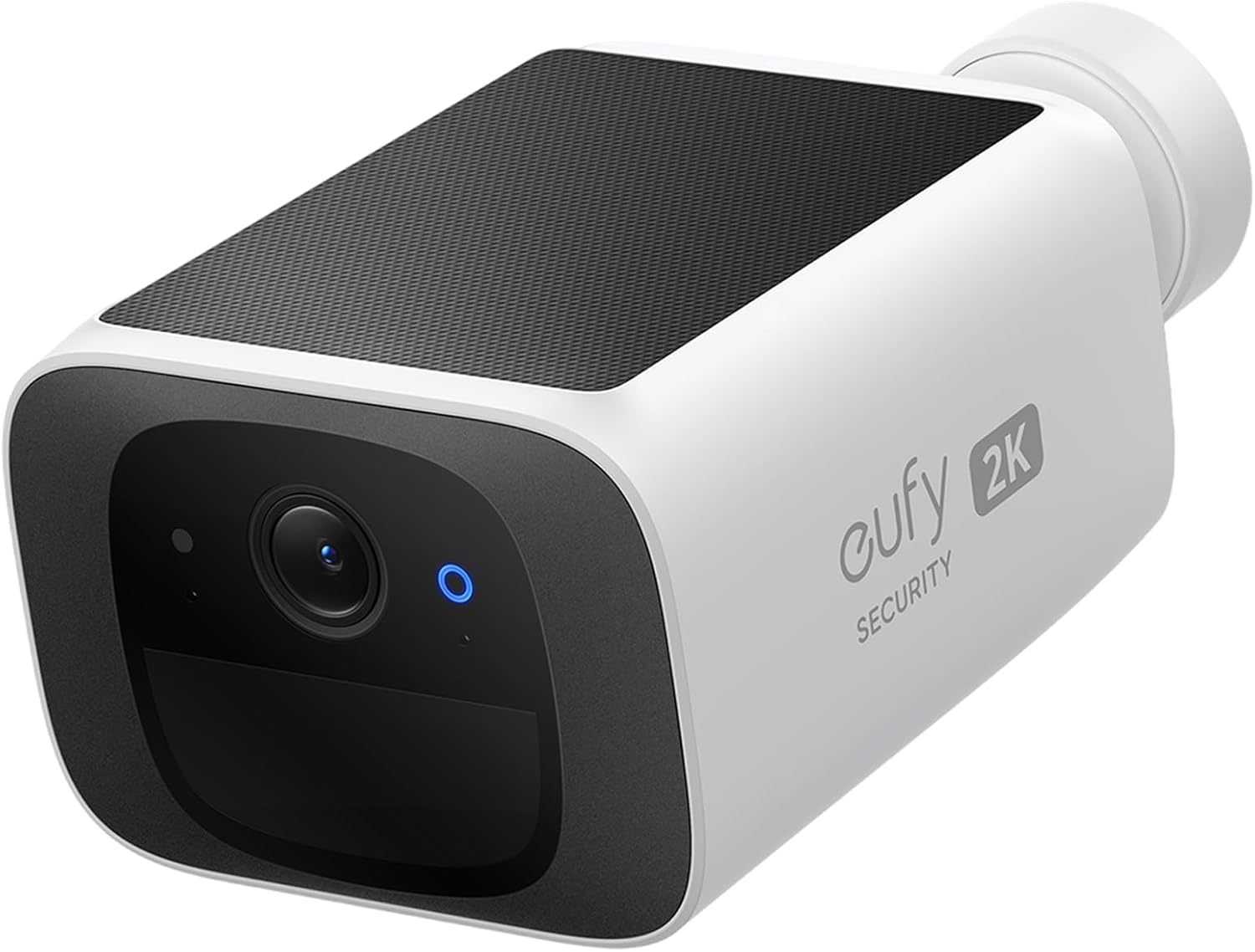
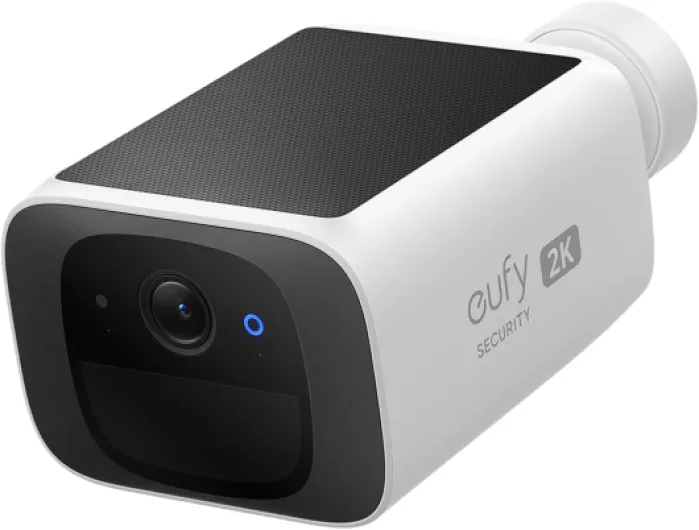
Design‑wise, the SoloCam S220 is pretty straightforward. It’s a small white bullet camera with the solar panel built into the top, so you don’t have a separate panel with extra cables dangling around. That’s actually one of the things I liked most: fewer parts, fewer things to route and hide. Once you mount it, it doesn’t scream “big security system”, it just looks like a small camera on the wall. If you care about your house not looking like a prison yard, that’s a plus.
The mount is a simple screw‑in ball joint. You drill one hole, fix the mount, then twist the camera on and adjust the angle. The ball joint gives enough range to aim it even if your wall isn’t perfectly aligned with where you want to look. I had it up in under 15–20 minutes including drilling and fiddling with the angle. It feels reasonably sturdy, but if someone really wants to steal it, they can still just go up and unscrew it, so it’s not some high‑security mount.
What I noticed in use is that the integrated solar panel does make you think a bit more about placement. You need to angle it so it sees your yard or driveway, but also so the top gets a few hours of direct sun. If you put it under a deep overhang, the design works against you because the panel just won’t get enough light. When it’s placed right, you basically forget the panel exists, which is ideal. When it’s placed wrong, you’ll be back in the app checking battery percentage and that’s annoying.
Overall, the design is clean and functional. No fancy finishes or extra physical buttons, just a compact camera built to be left alone outside. It’s not a tank, but it doesn’t feel cheap either. For a basic home setup, the design gets the job done: easy to mount, not too visible, and the solar panel doesn’t look like an afterthought glued on the side.
Solar charging and battery: does it really run itself?
The whole point of this model is the solar panel on top, so battery life is a big deal. In my case, with about 3–4 hours of direct sun per day and normal motion (a few deliveries, some cars passing, and occasional family walking by), the battery basically stayed between 90% and 100% the whole time. I charged it once with the USB‑C cable during setup, mounted it, and after that I didn’t have to touch it. That lines up with eufy’s claim that 3 hours of sun a day keeps it running.
If you put it in a shady spot, it’s a different story. The camera does not magically create power. If the panel barely sees the sun, the battery will slowly drain. One Amazon review literally says “assure you place where it get sufficient sunlight”, and that’s accurate. This isn’t a con of the product itself, it’s just physics, but it’s easy to underestimate. If your main mounting spot is north‑facing under a deep roof, expect to plug in the USB‑C cable every now and then or rethink the placement.
One thing I liked is that the app shows battery percentage clearly, so you can see if your setup is self‑sustaining or slowly dying. After a few days of watching the percentage, you’ll know if the solar setup is good enough. If you get a lot of motion events (busy street, shared walkway), that also eats into the battery, because it’s recording and sending data more often. You can reduce this by lowering sensitivity or shortening clip length, but then you risk missing parts of events.
Overall, in a half‑decent sunny spot, the solar + battery combo works as advertised and turns the camera into a “set and forget” device. In bad conditions, you’re back to managing battery life like any other wireless camera. So the tech is solid, but the real‑world result depends a lot on where you live and where you mount it.

Build quality, weather resistance, and long‑term feel
Build quality is decent for a consumer‑grade camera. The body feels like solid plastic, nothing premium, but it doesn’t feel flimsy either. With the IP67 rating, it’s meant to handle dust and heavy rain, and in normal conditions it does. Mine sat through a couple of solid rain showers and some temperature swings, and I didn’t see any fogging inside the lens or weird glitches. The housing seems well sealed, and the solar panel didn’t show any obvious wear in the short time I’ve had it.
Because it’s fairly light, it doesn’t put much strain on the mount, which is good for long‑term stability. Once tightened, the ball joint kept its angle; I didn’t see it drooping over time. That said, this is still a plastic mount screwed into your wall with standard hardware. If you mount it in a spot where kids can reach it or someone can easily smack it with something, it’s not going to survive that. It’s weather‑resistant, not vandal‑resistant.
In terms of long‑term concerns, the main ones are the battery and the solar panel. All lithium batteries degrade over time, so after a couple of years you might see the capacity drop. The panel itself should last a while if not physically damaged, but if you live in a place with a lot of dust, pollen, or snow, you’ll probably want to wipe it down every few months so it keeps charging efficiently. That’s not a big deal, but it’s still a bit of maintenance.
Something else worth mentioning: some negative Amazon reviews around the eufy ecosystem talk more about support and ecosystem issues than the hardware falling apart. The camera itself doesn’t have a reputation for breaking in a few months, but if you’re planning a big multi‑device setup, be aware that getting replacement parts or extra components like sirens might be a bit of a hassle based on those stories. As a single outdoor camera, though, the durability feels acceptable for the price point.
Video quality, detection, and app: how it behaves day to day
On performance, I’d say the SoloCam S220 is pretty solid but not perfect. The 2K video is genuinely useful: during the day, faces and license plates at normal driveway distance are readable, not pixel soup. At night, the infrared LEDs and the f/1.6 lens do a decent job. You get clear black‑and‑white footage, and you can still recognize people if they’re not too far away. It’s not cinema quality, but for checking who came to the door or if someone walked through your yard, it’s more than enough.
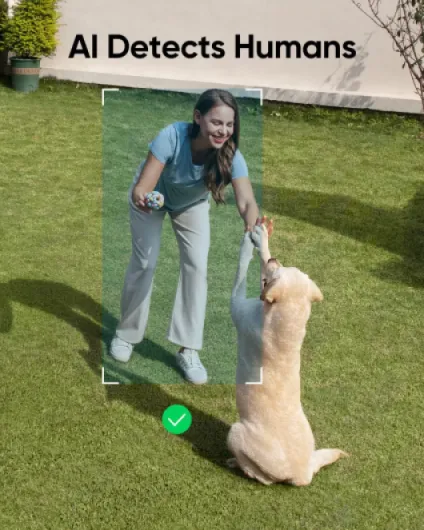
Motion detection is where things are a bit mixed. With human detection enabled, it does cut a lot of random motion, but it’s not magic. In my case, it sometimes flagged shadows or branches moving as a person, especially when the sun was low and casting weird shapes. That lines up with at least one Amazon review saying shadows got flagged as people. You can tweak sensitivity and activity zones, which helps, but expect to do some trial‑and‑error in the first days. Once dialed in, the number of useless alerts dropped, but it never hit 100% accuracy.
The app is functional but not the most user‑friendly I’ve tried. Basic stuff like viewing live video or recent events is fine. Where it gets annoying is when you want to change more advanced settings, like fine‑tuning detection or privacy zones. Those menus feel buried, and you end up tapping around more than you should. Compared to some other brands, the interface is a bit clunky. It works, but it doesn’t feel super polished. That said, I didn’t have major connection issues: on a normal 2.4 GHz Wi‑Fi network, the live view loads in a couple of seconds, and notifications hit the phone quickly enough to matter.
Another thing to keep in mind is that in standalone mode (no HomeBase 3), you don’t get facial recognition or some of the smarter features eufy advertises for their ecosystem. If you want individual face IDs and a more complete multi‑camera setup, you’ll need the HomeBase and probably an SSD for storage. People on Amazon mentioned that as an extra cost that isn’t obvious at first. So as a single camera, performance is good for the price; as part of a full system, you need to budget more and be aware that not everything is plug‑and‑play out of the box.
What you actually get with the SoloCam S220
Out of the box, the SoloCam S220 is basically one self‑contained camera with an integrated solar panel on top, a wall mount, screws, and a USB‑C cable for the initial charge. No base station, no hub, just the camera that connects straight to your 2.4 GHz Wi‑Fi. It’s a bullet‑style unit, pretty compact (around 3 x 4 x 2 inches), weighing under a pound. You screw the mount into the wall, clip the camera on, angle it, and you’re ready. There’s 8 GB of internal storage, so no SD card to manage.
In terms of features, the camera records in 2K resolution, has a 135° field of view, and uses infrared LEDs for night vision. There’s human detection built in, which is supposed to cut down on false alerts, and you can later connect it to HomeBase 3 to unlock facial recognition and centralized storage. It’s rated IP67, so in theory it should handle rain and dust without complaining. Power is mainly from the solar panel, but there’s a built‑in battery that you charge once with USB‑C and then the sun is supposed to keep it topped up.
The way it works in practice: it records short clips when it detects motion and saves them locally. You get a push notification on your phone, open the eufy Security app, and you can watch the clip or jump into the live view. There’s no mandatory subscription and no forced cloud upload, which is good if you care about privacy or just don’t want another monthly payment. You can also set privacy zones so you’re not recording the neighbor’s yard, which is handy if you live close to other houses.
Compared to something like Ring or Blink, this feels more like a one‑time purchase system: you pay a bit more upfront than some budget cameras, but you’re not getting nickel‑and‑dimed every month. The flip side is that if someone walks up, unscrews the camera, and walks off with it, your footage goes with it unless you grabbed it before. So you’re trading cloud backup for privacy and no fees. As long as you understand that trade‑off, the feature set makes sense.
Pros
- No monthly subscription needed thanks to local 8 GB storage
- Built‑in solar panel keeps the battery topped up with a few hours of sun
- 2K video with decent night vision and a wide 135° field of view
Cons
- Motion detection can still trigger on shadows and random movement
- App interface is not very intuitive for advanced settings and tweaks
- Full ecosystem features (HomeBase 3, SSD, extra devices) increase the total cost
Conclusion
Editor's rating
The eufy SoloCam S220 is a decent choice if you want a straightforward outdoor camera that runs on its own power and doesn’t drag you into monthly fees. The 2K image is clear enough to be useful, the solar panel really can keep it charged as long as it gets a few hours of sun, and local storage means your clips aren’t sitting on some company’s servers. For a single‑camera setup watching a front door, driveway, or backyard, it does the job without much babysitting once you’ve tuned the motion settings.
It’s not perfect, though. Motion detection can still be fooled by shadows and movement, the app interface feels a bit clunky compared to some competitors, and if you later decide to go all‑in on the eufy ecosystem with HomeBase and extra accessories, the hidden costs (SSD, more cameras, maybe a separate siren) start to add up. Also, because storage is on the device, if someone steals the camera, the evidence goes with it unless you downloaded it earlier. So it’s better suited for areas where the camera itself isn’t an easy target.
If you’re tired of subscriptions, want a mostly hands‑off solar camera, and are okay with a few software quirks, the SoloCam S220 is a pretty solid option. If you’re trying to build a loud, fully integrated alarm system with rock‑solid support and cloud backup, or you live in a very shady area with poor sun exposure, I’d look at other brands or wired solutions. Used in the right conditions, this camera is more “quietly effective” than flashy, and that’s often all you really need.