
Summary
Editor's rating
Is this 6‑camera kit worth the money?
Chunky but practical design, very obviously ‘security camera’
Solar charging and real‑world battery behavior
Outdoor toughness and long‑term confidence
Video quality, motion detection, and app behavior in real life
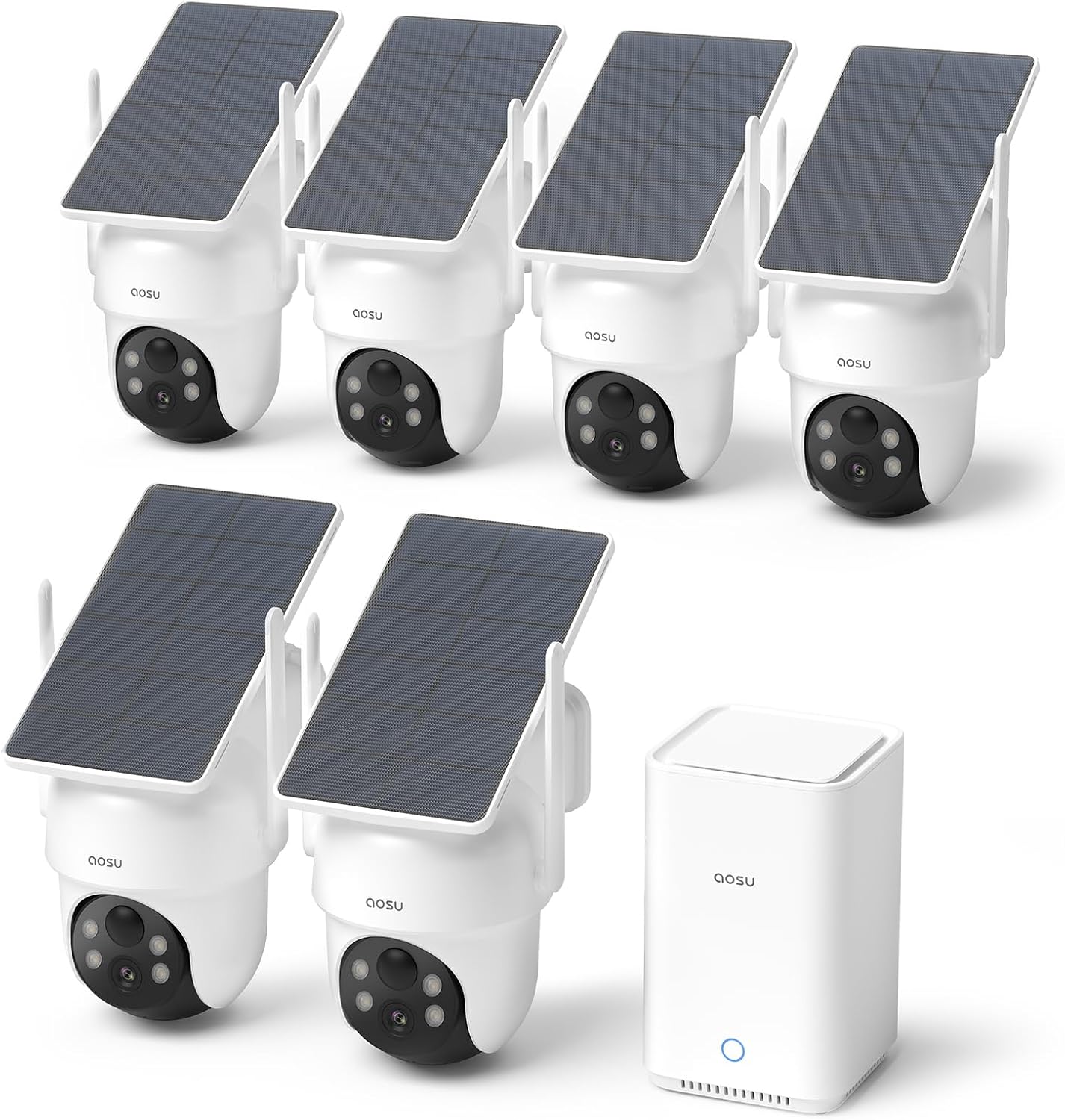
What you actually get with this 6‑cam aosu kit
Pros
- Six 5MP solar pan‑tilt cameras with local storage and no mandatory subscription
- Easy, mostly wire‑free installation with simple app setup
- Solar charging works well in normal conditions, reducing battery maintenance
Cons
- Noticeable delay between motion detection and recording start
- Solar performance drops in shady locations, sometimes requiring manual recharging

Specifications
View full product page →| Brand | aosu |
Solar cameras that actually feel plug-and-play
I’ve been running this aosu 6‑camera solar kit around my house for a few weeks, and I’ll be honest: I mainly bought it because I’m tired of subscriptions and running cables. I wanted something I could bolt up in a weekend, forget about charging, and still get decent footage if something happens. On paper, this kit checks all those boxes: six cameras, local storage on the aosuBase, solar panels, and no forced monthly fee.
In day‑to‑day use, the system feels pretty straightforward. The app is simple, the cameras talk to the base, and once it’s all online, you mostly stop thinking about it. I’ve used Wyze and Reolink before, so I wasn’t expecting miracles, just something stable with better coverage and fewer random disconnects. So far, stability has been pretty solid, and the video quality is clearly a notch up from the older 1080p stuff I had.
That said, it’s not perfect. Motion detection has a slight delay, and sometimes you get the tail end of an event instead of the full story. Also, this many cameras means you really notice any app quirks or notification spam, so the camera‑to‑camera sync feature is actually more useful than I expected. It cuts down on duplicate pings when someone just walks across the yard.
If you’re expecting pro‑grade security, this isn’t that. But if you’re like me and just want solid coverage around a home without wiring or monthly bills, it gets the job done pretty well. There are a few annoyances, but nothing that made me want to box it up and send it back.
Is this 6‑camera kit worth the money?
Value really comes down to how much ground you need to cover and how much you hate subscriptions. For what you get—six solar pan‑tilt cameras plus a local‑storage base—the price is pretty reasonable compared to buying individual cameras from big names like Arlo or Nest. With those, by the time you add cloud storage for multiple cameras, you’re paying monthly forever. Here, you pay once, get 32 GB built in, and can bump it up to 1 TB if you want years of clips stored locally.
Where you do feel the price is in the small annoyances: the slight motion‑start delay, the need to think about solar placement, and the fact that the app, while decent, isn’t as polished as something like Ring. None of that kills the deal for me, but it’s the kind of stuff that reminds you this is a mid‑range system, not top‑shelf. On the flip side, you’re not locked into someone’s cloud, and your footage doesn’t vanish if you stop paying.
If you only need one or two cameras, I’d probably look at a smaller aosu kit or even a different brand, because this full 6‑cam setup might be overkill. But if you genuinely need coverage on all sides of a house, driveway, and maybe a backyard or outbuilding, the cost per camera here is actually decent. You’re spreading the base cost over six units, and the solar means you’re not paying an electrician or spending weekends fishing cables through walls.
To sum it up: it’s good value for someone who wants a “buy once and be done” system with a lot of coverage and no ongoing fees. If you’re super picky about motion timing or want super tight integration with a broader smart home system, you might feel the compromises more. For a straightforward, budget‑conscious home setup, the price‑to‑features ratio is pretty hard to argue with.
Chunky but practical design, very obviously ‘security camera’
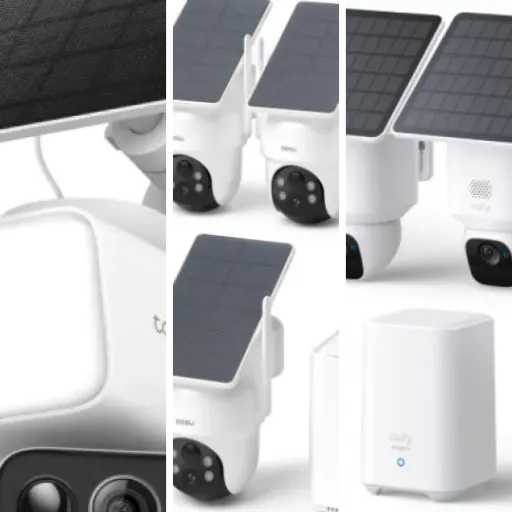
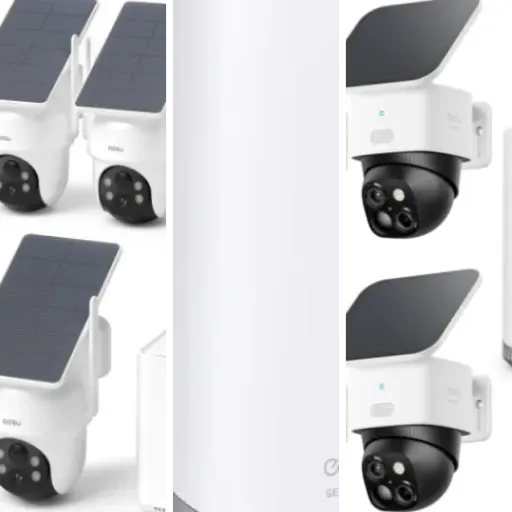
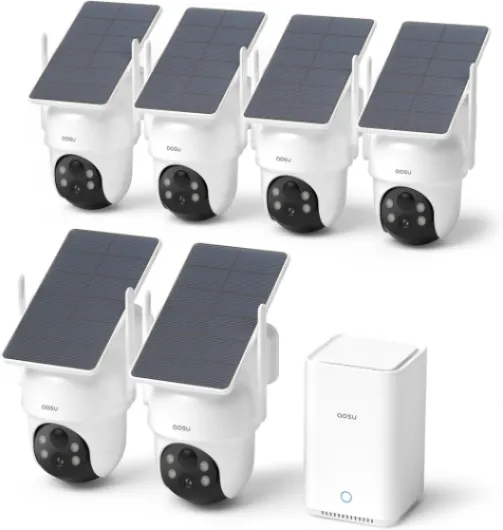
Design‑wise, these cameras are not small or discreet. They’re dome‑style units with a pan‑tilt head and a solar panel built in, so once you mount six of them around the house, everyone knows you’ve got cameras. Personally I like that; it’s a bit of a deterrent. But if you’re going for a subtle, hidden setup, this is not it. The white plastic body with the black camera dome looks similar to a lot of other consumer cams, just a bit bulkier because of the solar top.
The 360° pan & tilt is the main design benefit. Instead of buying multiple fixed cameras to cover a wide area, you can park one of these in a corner and sweep the whole yard. From the app, you can drag your finger to move the camera, and it responds quickly enough. It’s not instant like a PTZ you’d see on a commercial system, but for a home product, it’s fine. The auto‑tracking of humans looks a bit robotic, but it mostly keeps people in frame as they move.
The aosuBase is a small, plain box that sits near your router. Nothing fancy there. It has indicator lights, a network port, and that’s about it. It’s quiet and doesn’t get hot. You’ll probably hide it on a shelf and forget it exists. The only time you think about it is when you open the app and see all cameras online, or if you ever decide to upgrade the storage with a bigger drive.
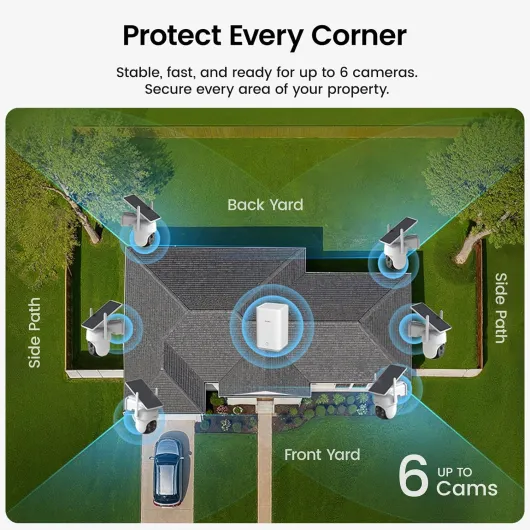
My only real gripe with the design is the size and mounting angle if you have tight spots. On one side of my house, I had to play around with placement so the solar panel still caught some light but the camera had the right field of view. The included brackets help, but it’s not as flexible as a tiny cube cam you can stick anywhere. Still, once you find the right spot, the design is practical and feels made for real outdoor use, not just a sheltered porch.
Solar charging and real‑world battery behavior
The whole appeal of this kit is basically: mount once, never touch again. In practice, the solar power works well as long as you respect the sun. On the sides of my house that get a few hours of direct light per day, the cameras stay topped off. The spec claims about 3 hours of sunlight is enough, and from what I’ve seen, that’s roughly accurate. I checked the battery levels in the app every few days, and they hovered near full even with regular motion events.
On the shadier side of the house, it’s a different story. One camera that only gets weak morning light slowly lost charge over about a week and a half. It didn’t die, but it definitely wasn’t gaining much. The good thing is that the cameras pop off the mounts easily, and you can bring them in and charge with the included USB‑C cable. It’s not ideal, but it’s at least convenient. If you know a spot barely gets sun, plan on occasional manual charging or maybe choose a wired camera there instead.
Cold weather performance is always a question with battery cams. This kit claims it can charge down to around -10°C, which lines up with user feedback I’ve seen. I haven’t hit deep winter yet with this system, but I’ve had other solar cams that basically stop charging in the cold, so I’ll be watching this closely. If you live in a very cold, dark climate, don’t expect miracles from any solar setup; but in a normal climate with some winter sun, this seems workable.
Overall, if you give the panels decent exposure, the battery side is low‑maintenance and does what it should: you’re not climbing ladders every week. Just be realistic about shadows, trees, and roof overhangs. The system doesn’t magically fix bad placement. When placed properly though, the solar‑plus‑battery combo is one of the strongest parts of this kit and a big reason I’d pick it over wired options for hard‑to‑reach corners.
Outdoor toughness and long‑term confidence
Durability is always hard to judge in just a few weeks, but I can at least talk about build and how it handled some rough weather so far. The cameras feel like standard outdoor gear: solid enough plastic housing, no rattling parts, and the joints on the pan‑tilt head don’t feel flimsy. I’ve had a couple of heavy rainstorms and some strong wind since installing them, and nothing has moved or let water in. No fogging in the lens, no weird condensation, which is a good sign.
The mounting hardware is basic but does the job. The brackets hold the weight of the camera plus solar panel without sagging. When you tighten everything properly, the cameras stay pointed where you set them. I’ve had cheaper cameras slowly droop over time or shift during storms; that hasn’t happened yet here. The only thing I’d say is: don’t skimp on the screws if you’re going into questionable siding. Use decent anchors or go into solid wood where you can.
From what I’ve seen in other people’s reviews, battery degradation and charging issues can pop up after several months. One user mentioned a camera not holding a charge after seven months, but aoSu support pushed a firmware update to the base and it fixed it. That tells me two things: first, there might be some long‑term quirks; second, at least the company is actually updating and supporting the product instead of abandoning it. I’m okay with that trade‑off for this price range.
Overall, I’d rate durability as “good enough for normal home use.” It’s not industrial gear, but it doesn’t feel cheap either. If you’re in a very harsh environment (coastal salt air, extreme cold, or brutal sun), I’d keep an eye on the plastic and seals over time. For a typical house in a regular climate, I don’t see any obvious red flags that would make me worry about it falling apart within a year or two.
Video quality, motion detection, and app behavior in real life
On performance, I’d say this kit is pretty solid but not flawless. The 5MP / 3K video looks sharp enough that you can clearly see faces and plates at reasonable distances, especially during the day. Compared to my old 1080p Wyze cams, the difference is obvious: more detail in clothing, facial features, and small stuff like packages on the porch. At night, the infrared and color night vision are decent. You won’t get cinema‑level detail, but you can tell who’s who and what’s happening within that ~30‑foot range.
Motion detection is where things get a bit mixed. It does pick up people reliably, and the human detection is better than generic motion; I don’t get spammed every time a branch moves. But there is a noticeable delay between motion starting and recording kicking in. I’ve had a few clips where the person is already halfway through the frame before the recording starts. For deliveries or slow movement, it’s fine. For a quick car stop‑and‑go, you might only catch the end. You can tweak sensitivity, but the delay itself seems more like how the system is built.
The app itself is straightforward. Viewing live feeds is quick enough, and the four‑camera view is actually useful when you hear a noise and want to check multiple angles at once. The camera‑to‑camera event syncing is one of the better features: if someone walks from the driveway to the porch, instead of three separate alerts and clips, you usually get one combined event. It’s not perfect 100% of the time, but it cuts down on noise a lot compared to other systems I’ve used.
In terms of connectivity, I didn’t have issues with cameras randomly going offline, which is a big deal for me. I’ve had other brands drop out or lag badly when Wi‑Fi got busy. Here, as long as the camera has a reasonable signal to the base/router area, it stays online. If your house has thick walls or a weird layout, you might need to be careful where you put the base, but in a normal suburban house, it behaves well. Overall, performance is good enough that I trust it for home monitoring, but if you’re super picky about catching every single second of motion, the short delay might bother you.

What you actually get with this 6‑cam aosu kit
This kit is basically a full ecosystem in a box. You get six wireless solar cameras, the aosuBase (their little hub with 32 GB built‑in storage), mounting brackets, screws, stickers for drilling, a network cable for the base, and a USB‑C cable. No separate NVR, no DVR, and no SD cards needed out of the gate. The base plugs into your router, the cameras connect wirelessly, and everything is controlled from the smartphone app.
The main specs that matter in real life: 5MP / 3K resolution, 360° pan & tilt, human auto‑tracking, night vision rated to about 33 feet, and local storage expandable up to 1 TB. The cameras are solar‑powered but can also be charged by cable if you stick one in the shade. The base supports up to six cameras, and this kit already fills all six slots, so you’re basically maxed out right away.
From a usage point of view, the standout features for me are: local storage with no mandatory subscription, solar power so I’m not climbing ladders every month, and the ability to view four cameras at once in the app. The last one sounds like a gimmick, but once you have more than three cameras, flipping between feeds gets old fast. The camera‑to‑camera tracking and event merging is also more than just marketing; when someone walks past three cameras, you get one alert and one stitched event instead of three separate clips and a buzzing phone.
Overall, the presentation is very “consumer‑friendly”: simple app, clear labels, and not much technical setup. If you’ve set up a smart doorbell or a Wi‑Fi plug before, this is about the same difficulty level, just repeated six times. It feels like a mid‑range consumer system aimed at people who want coverage and simplicity more than deep configuration options or integration with a bigger smart home setup.
Pros
- Six 5MP solar pan‑tilt cameras with local storage and no mandatory subscription
- Easy, mostly wire‑free installation with simple app setup
- Solar charging works well in normal conditions, reducing battery maintenance
Cons
- Noticeable delay between motion detection and recording start
- Solar performance drops in shady locations, sometimes requiring manual recharging
Conclusion
Editor's rating
Overall, this aosu 6‑cam solar kit is a solid option if your priorities are: wide coverage, no subscription fees, and minimal wiring headaches. The 5MP video is clear, the 360° pan‑tilt and auto‑tracking give you flexibility on placement, and the solar power works well as long as you give the panels reasonable sun. The aosuBase with local storage is a big plus if you don’t want your footage living in someone’s cloud or paying monthly just to access your own clips.
It’s not perfect. There’s a small delay when motion starts, so some events begin mid‑action. The cameras are a bit bulky, and if you have shady spots, you’ll still be climbing a ladder occasionally to recharge by cable. The app is practical but not fancy, and if you’re coming from a polished ecosystem like Ring or Nest, you’ll notice some rough edges. That said, the system has been stable, and user feedback on customer support is encouraging—problems seem to get actual responses, not just canned replies.
If you want an easy, DIY way to lock down a whole property without monthly bills, this kit makes sense. It’s good for homeowners who want to see what’s happening outside, keep an eye on deliveries, and have recordings if something goes wrong. If you’re building a high‑end, tightly integrated smart home, or you’re extremely picky about catching every split‑second of motion, you might want to look at more advanced (and pricier) systems. For most everyday users, though, it’s a practical, good‑value choice that gets the job done.