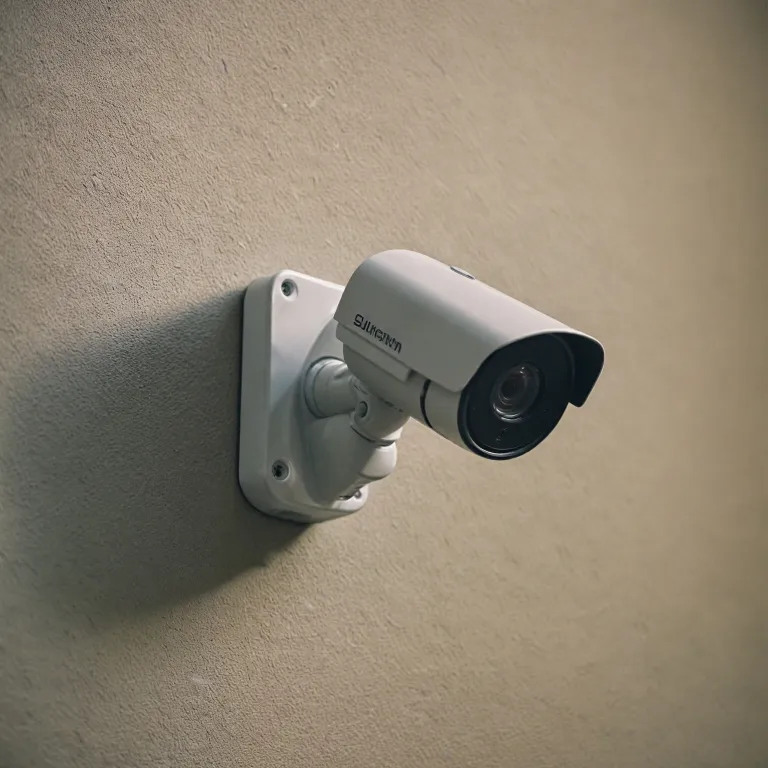
Understanding the Basics of Security Camera Storage
Essential Knowledge on Camera Storage Options
When setting up security cameras in your home, understanding the nuances of storage options is crucial. These devices not only help in monitoring your property but also store footage for future reference, making their storage capability an important aspect. Storage in home security cameras primarily revolves around two options: cloud storage and local storage using SD cards. Cloud storage provides the convenience of accessing footage remotely via an app, but at the cost of a subscription. Meanwhile, SD card storage is a popular choice due to its one-time cost and lack of recurring fees. Choosing the right SD card for your camera is vital, as different security cameras support varied capacities and types. Generally, it’s advised to opt for high endurance cards for their durability and reliability in continuous recording environments. Keep in mind that not all issues are rooted in the card itself; sometimes, the camera may have default format requirements that must be set through a computer or the camera's interface. Moreover, each security camera has a limit on cards capacity it can handle, known as cards limited support. If this isn’t adhered to, you might encounter detection issues when trying to insert card or other storage malfunctions. For additional resources on this topic, you might want to explore this guide on on-premise recording for home security cameras which dives deeper into the advantages and limitations of using SD cards for local storage. This can provide further insights and suggestions as you navigate through potential storage hurdles while ensuring your family’s safety and privacy policy compliance remains a priority. This essential knowledge acts as a foundation for understanding subsequent troubleshooting techniques and maintenance practices to prevent future storage issues, ensuring that your security camera will function optimally.Common Reasons for SD Card Detection Issues
Identifying Common Causes for SD Card Detection Problems
If your security camera isn’t recognizing the SD card, it might be due to various underlying issues. Fortunately, many of these issues are easily addressable with a bit of troubleshooting. Here’s a closer look at some frequent causes that might explain why your card isn't being detected:
- Improper insertion: Ensure that the card is fully and properly inserted into the slot. Sometimes a loose connection can prevent the camera from accessing the storage.
- Incompatible or unsupported cards: Not all SD cards are created equal. Some high-capacity or high-speed variations might not work with your security camera. Always check the product specifications for supported formats.
- Formatting issues: The card may need to be formatted to the correct file system. This can often be done through the camera's app or by connecting the SD card to a computer. Make sure to format the card regularly to prevent data corruption.
- Quality of the storage products: Lower quality cards may have limited durability and fail over time. Investing in a high endurance card can help in preventing issues related to wear and tear.
These insights should help pinpoint potential problems with your security camera storage. On-premise recording can offer further insights into optimizing your setup. As every camera is different, consult the manufacturer's guidelines or review the privacy policy for additional support. Remember, if issues persist, it might be time for a more in-depth inspection which we'll cover later in this series.
Checking SD Card Compatibility and Specifications
Ensuring Compatibility for Seamless Functionality
One of the essential steps to resolving storage issues in your home security camera is checking the compatibility and specifications of the SD card you're using. Not every SD card will work seamlessly with all security camera models, and this mismatch can lead to detection issues that hinder proper recording.
- Card Compatibility: Different cameras support different SD card formats and sizes. It's crucial to consult the camera manual or the manufacturer's website to understand which types of cards your device supports. This information will save you time and effort in resolving potential issues that may arise from using incompatible cards.
- Card Specifications: Pay attention to the storage capacity limitations. Cameras have max sizes they can handle, and exceeding this could lead to unexpected problems. Many devices support cards with a capacity limit of 64GB, 128GB, or higher, but always verify the exact specification.
- Format Requirements: Some cameras require the card to be formatted in a specific file system, such as FAT32 or exFAT. Formatting can often be done directly through the camera's app or by inserting the card into a computer. It’s advisable to check the settings before initial use.
- High Endurance Cards: For applications where recording is continuous or in high-traffic areas, high endurance cards are recommended. These products are designed to withstand extensive writing and can often outlast standard cards.
Regularly auditing the specifications and ensuring compliance with your camera's requirements will help mitigate common troubles that arise from SD card usage. Should issues persist, consider consulting professional help or exploring other support options for maintaining the efficacy of your security setup.
Troubleshooting SD Card Detection Problems
Troubleshooting Tips for Better SD Card Detection
If your security camera isn't saving footage to the SD card, it might be time to troubleshoot any detection problems. Here are some steps and tips to help you resolve these issues:- Inspect the Insertion Process: Double-check whether the card is properly inserted into the camera’s slot. Poor insertion can lead to detection problems. Ensure the card is securely in place each time you insert it.
- Formatting and Compatibility: It's crucial to format the card in the camera, not just on a computer. Modern cameras often require cards to be formatted in a specific way. Check your camera’s instructions on how to format a card correctly. Moreover, ensure the card's specifications support the camera's requirements as mentioned in your user manual.
- Check for SD Card Errors: Use a computer to run a check for errors on the SD card. Some issues, like file system corruption, can cause detection problems. Use error-checking tools available on most operating systems to identify and rectify such problems.
- Consider Card Quality and Type: Not all SD cards are created equal. For security cameras, especially in demanding environments, high endurance cards can be more reliable than standard products. Lower quality cards might appear to work but succumb to performance issues over time.
- Explore App and Software Configurations: If your camera is connected to an app, ensure it's running the latest version. Outdated software might contribute to card detection issues. Additionally, check the app settings to ensure there's no conflict with card storage settings.
- Regular Maintenance and Updates: Cameras and connected apps should be regularly updated. This proactive step helps mitigate unforeseen compatibility or detection challenges.
- Try a Different Card: If none of the above suggestions work, try using a different card that explicitly states support for your camera model. It's possible the current card is simply incompatible or faulty.
Maintaining Your Security Camera and SD Card
Ensuring Regular Maintenance and Care
Maintaining your security camera and SD card is crucial to ensure optimal performance and longevity of the recording system. Here are some practical suggestions to help avoid common issues:
- Routine Check-ups: Regularly check the SD card for any damage or signs of wear. Cards are often limited by their lifespan, especially if used extensively. Consider downloading diagnostic tools on your computer to test the card's health.
- Card Formatting: Periodically format the card using the security camera’s app to clear outdated files and refresh the storage. Ensure that all important files are backed up before you format the card to prevent data loss.
- Clean the Camera and Card Slot: Dust and debris can accumulate and cause detection issues. Gently clean the camera and the SD card slot to maintain proper connections.
- Update Camera Software: Ensure the camera's software is up to date. Manufacturers frequently release updates to improve performance and add support for new card types or to fix issues such as card detection problems.
- Monitor Storage Space: Keep an eye on the storage capacity. High endurance cards are preferred for frequent usage as they handle more write cycles, reducing performance drops over time.
By following these maintenance practices, you can help ensure your security camera operates smoothly and reduces the likelihood of encountering persistent SD card issues. Remember, when issues persist, reviewing the privacy policy or contacting support may be necessary for further solutions.
When to Seek Professional Help
When Expert Support Becomes Necessary
Even after thoroughly checking your SD card compatibility and addressing potential detection issues, there might still be challenges that require professional insights. Knowing when to reach out for expert assistance can save time and prevent further complications.- Persistent Storage Issues: If your camera continues to struggle with storage capabilities, and you've already formatted the card using the correct procedures, a technician can provide insights that might not be immediately apparent.
- App and Hardware Support: Some problems could stem from the camera app settings or hardware limitations. A professional will have the knowledge to recognize whether the camera or the app might not fully support certain card types or storage methods.
- Complex Camera Models: For advanced security cameras that come with robust features, including customized storage solutions, understanding when your issue card needs specialized attention can ensure the camera remains fully functional.
- Cards Limited by Design: Occasionally, the SD cards or the hardware they are used in have limited lifespans. Professionals understand these design nuances and can recommend high endurance cards best suited for continuous recording.
- Privacy and Data Rights: It's imperative to remember the importance of data privacy when dealing with security cameras. Professionals are well-versed in protecting your rights reserved when handling sensitive footage.